 StaffRoster
The roster your small team will actually check.
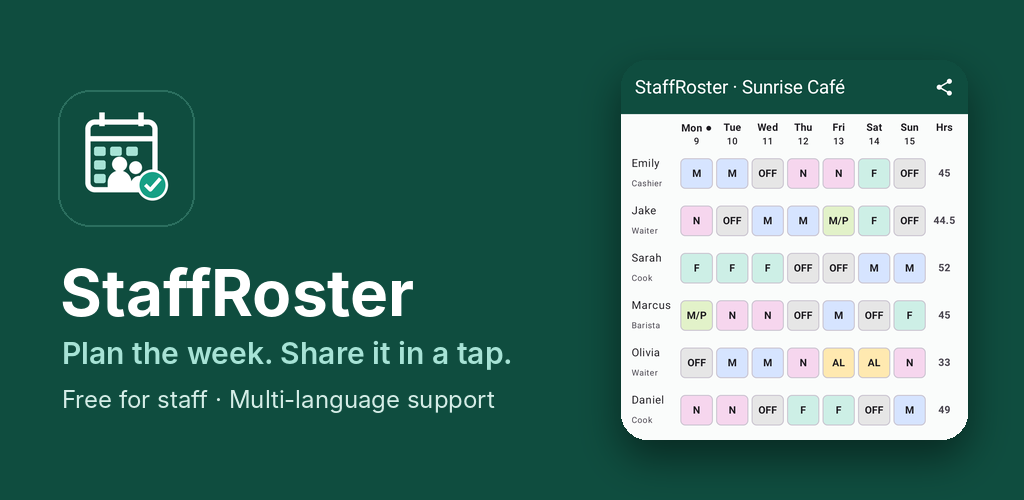
Plan shifts in minutes, publish once, and everyone sees the latest roster on their phone. No spreadsheets, no photos of a whiteboard in the group chat, no per-person fees.
- ✓ Free for teams of up to 6, one flat price above that — staff are always free
- ✓ Staff join with a 6-character code — no Google account, no sign-up form
- ✓ Built for teams of up to 30: cafés, restaurants, retail, clinics
No payment details needed to start. Android app for managers and staff — iPhone staff can view the roster as an image or PDF.
| Staff | Mon •9 | Tue10 | Wed11 | Thu12 | Fri13 | Sat14 | Sun15 | Hrs |
|---|---|---|---|---|---|---|---|---|
| EmilyCashier | 45 | |||||||
| JakeWaiter | 44.5 | |||||||
| SarahCook | 52 | |||||||
| MarcusBarista | 45 | |||||||
| OliviaWaiter | 33 | |||||||
| DanielCook | 49 |
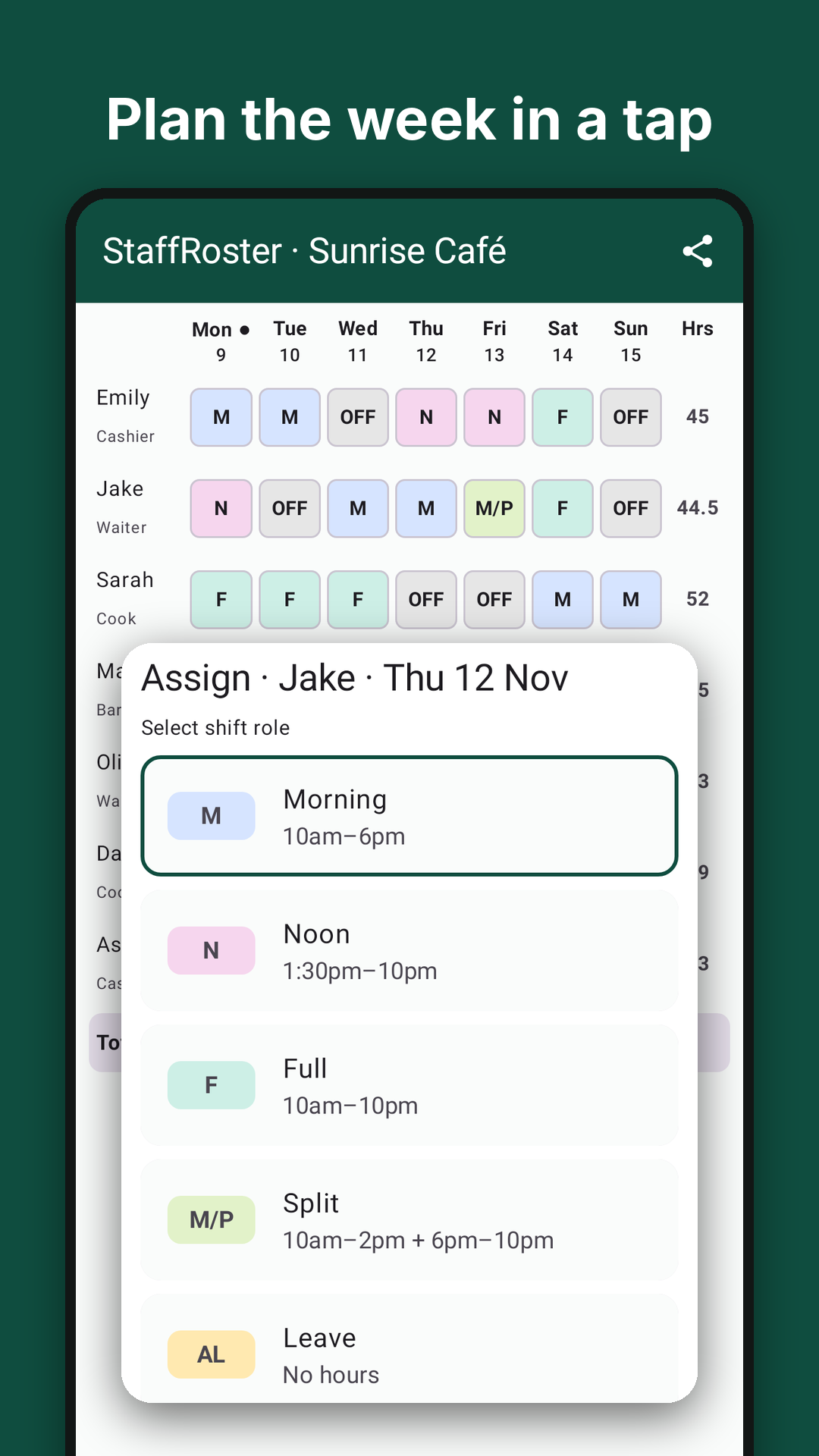
Tap any shift above to try editing it — M (morning) → N (noon) → F (full) → OFF. In the app you pick from your own shift templates, including split shifts (M/P) and leave (AL).
How it works
From blank week to published roster in three steps
You plan on Android. Your team just opens the free app — or looks at the image or PDF you share to your usual group chat.
Build the week
Start from one of 5 ready-made shift sets, copy last week's roster, or tap shifts in one by one. Split shifts, unpaid breaks and night shifts that end the next morning are all handled.
Publish with confidence
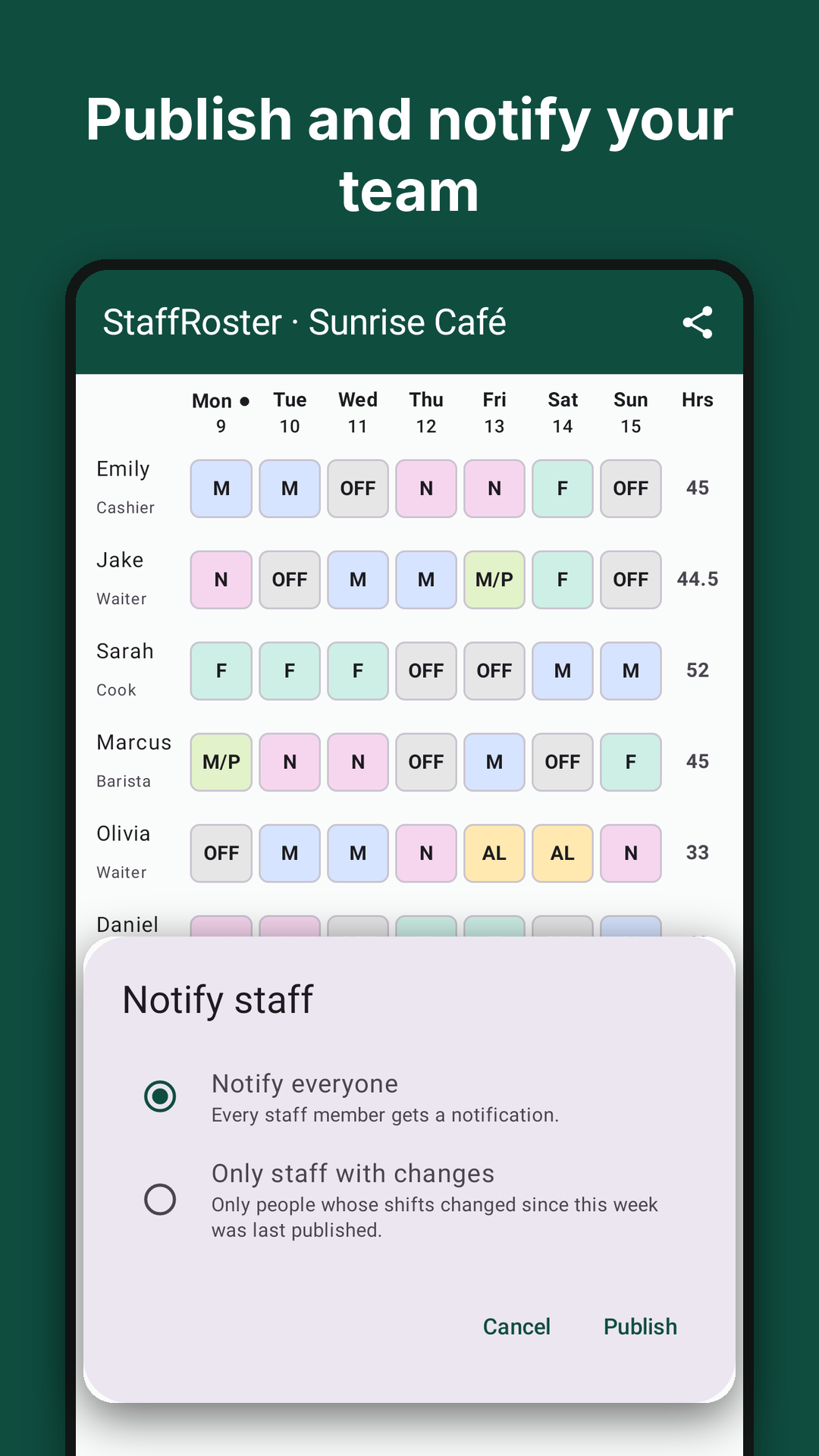
StaffRoster warns you about rest gaps under 8 hours, and publishes only when staffing for the day meets the limit you set. Notify everyone, or only the staff whose shifts changed.
Staff check & swap
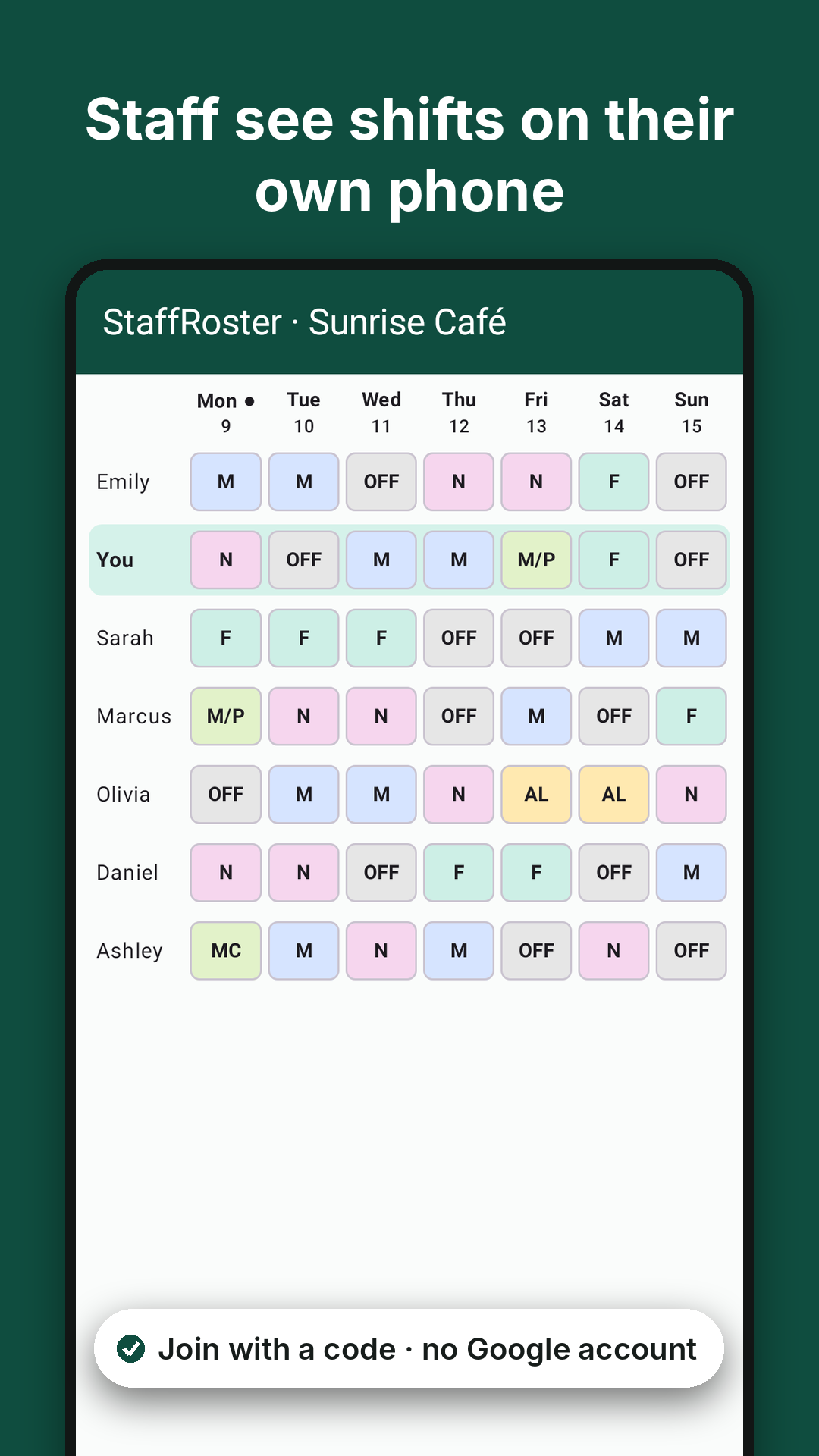
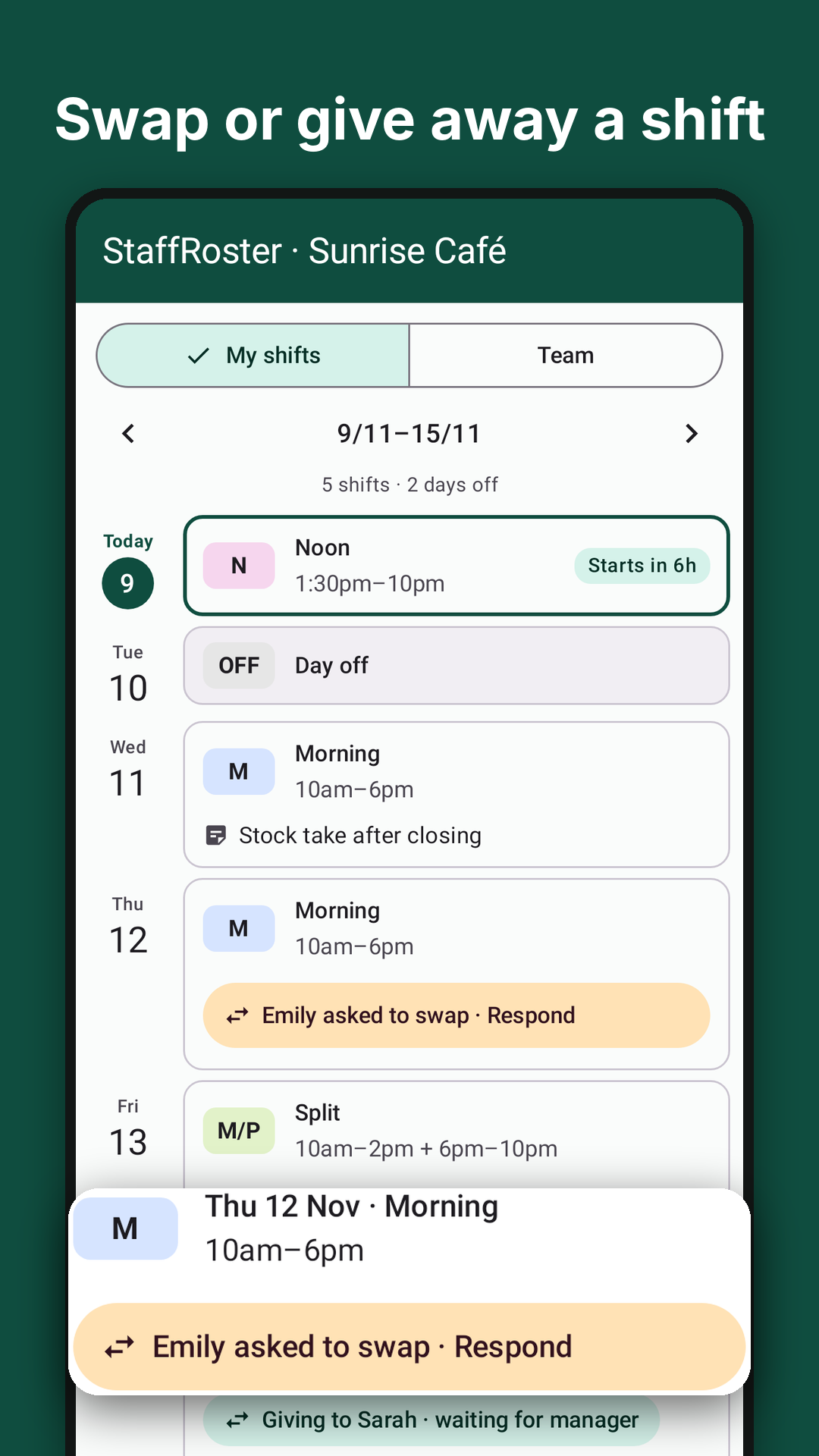
Staff see the latest roster in the app, even offline. Need a change? They can request a swap or give a shift away — it only goes live after both the colleague and you approve.
Inside the app
See StaffRoster as your team will see it
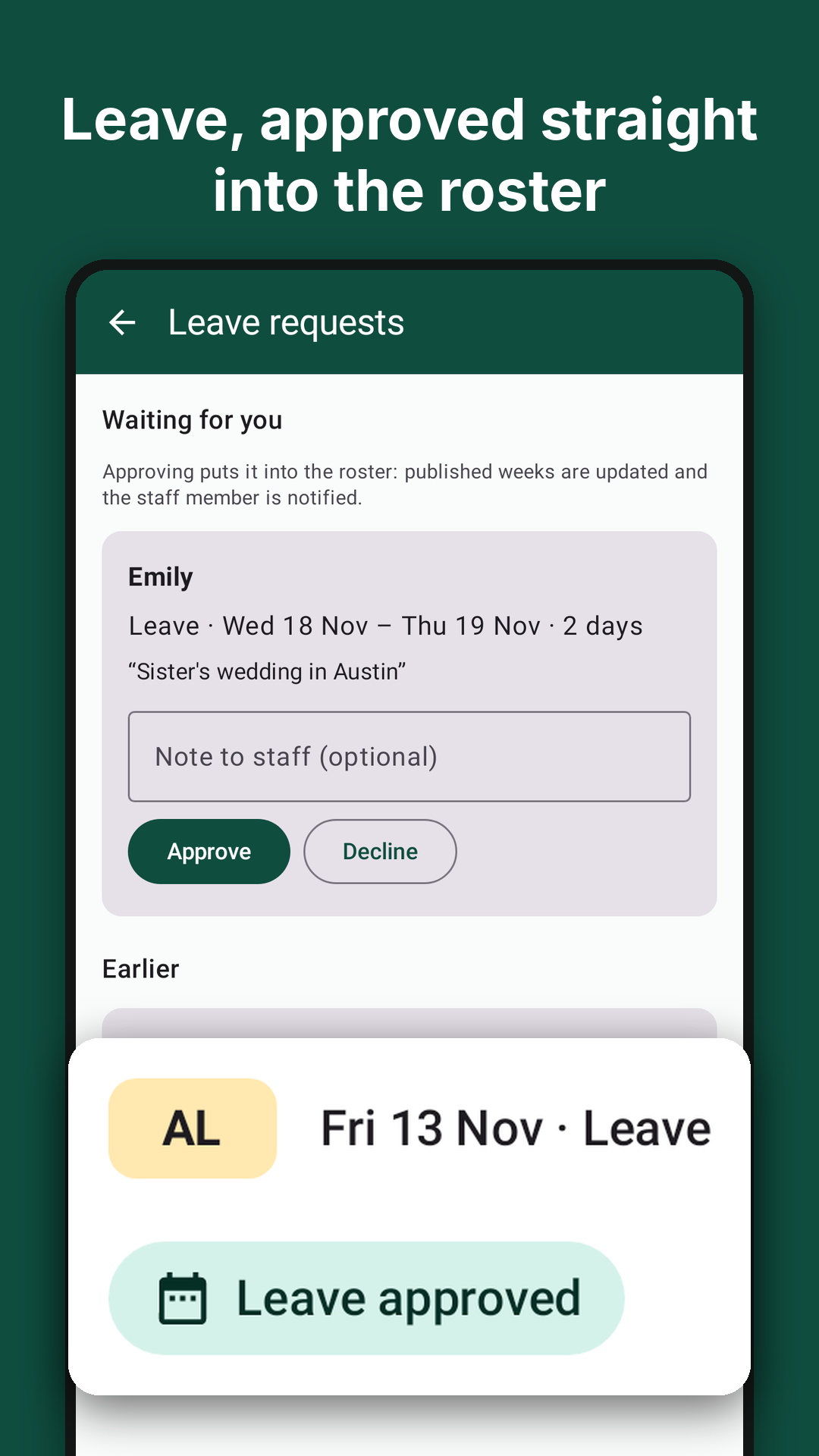
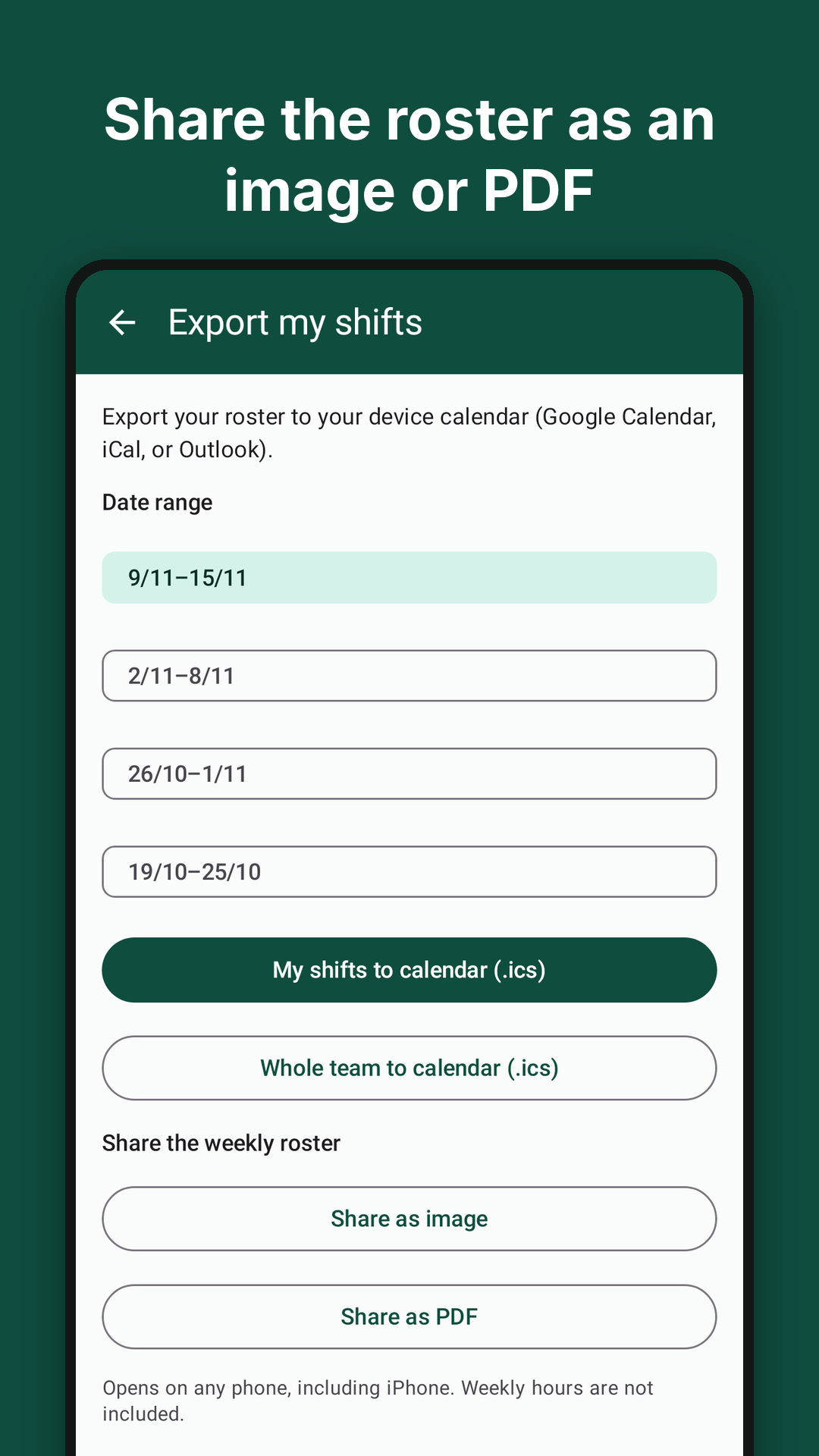
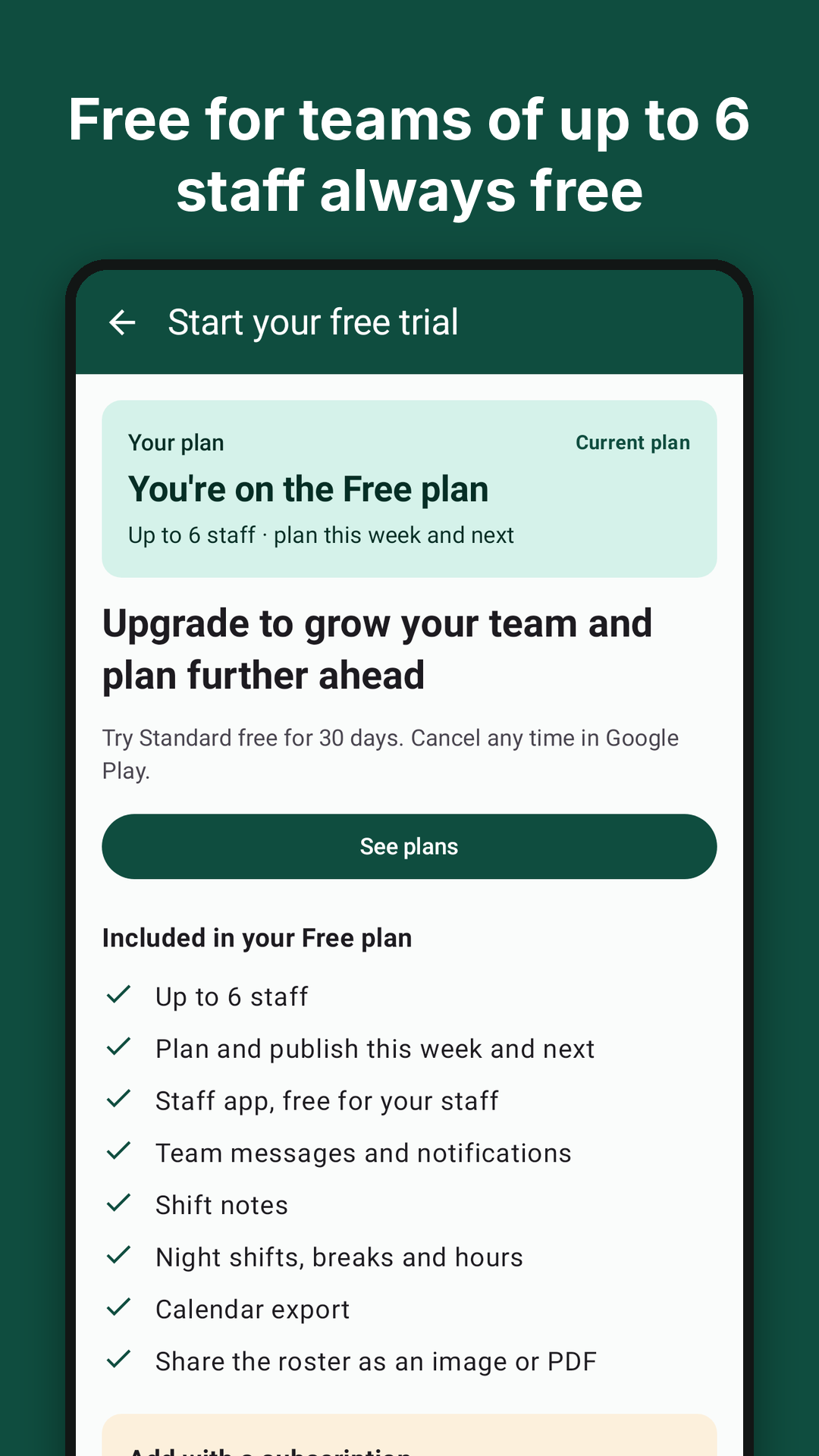
Real screenshots from the app — the same roster, from planning and publishing through to swaps, leave, sharing and plans.
Features
Everything a small team needs. Nothing it doesn't.
StaffRoster does one job well: the weekly roster. Here's exactly what's in it.
Plan faster
Stop rebuilding the same week from scratch.
- 5 ready-made shift sets to start from (café, retail, 24-hour, 12-hour, office), then add your own shift types
- Copy a past roster and adjust, instead of starting from a blank grid
- Split shifts with unpaid breaks — e.g. 9–1, then back 5–9
- Night shifts past midnight, correctly counted into the next day
Publish without mistakes
Two guardrails catch the errors that cause no-shows and tired staff.
- Under-8-hour rest warning when a shift starts too soon after the last one ended
- Max-off-per-day rule — publishing is blocked if too many staff are off on one day
- Notify all, or only changed staff — a swap reaches only the people it affects, unless you choose everyone.
- Every published version kept for 90 days
Swaps and leave, under your control
Staff sort out cover between themselves — you keep the final say.
- Swap a shift with a colleague, or give one away
- 2 approvals needed — the colleague agrees, then you approve
- Off by default — turn swaps and leave requests on only when your team wants them
- Approved swaps republish automatically, so the roster is never out of date
- Leave requests — staff apply in the app; once you approve, the leave goes into the roster
- Swaps and leave requests come with Standard and Plus
Easy for staff, too
If joining is hard, staff won't join. So joining is one code.
- 6-character join code — one use, expires in 1 hour, no Google account needed
- Staff app is free, always — and teams of up to 6 are free for the manager too
- Offline reading — the last published roster is viewable with no connection
- Shift reminders — staff can set a reminder 15, 30 or 60 minutes before a shift
- 90 days of published roster history
Share it anywhere, in 5 languages
Not everyone needs the app to see their shifts. Export the roster as an image for your group chat, an A4 PDF for the noticeboard, or an .ics file staff can add to their own calendar. The app itself runs in:
Why switch
Made for the team that's outgrown the spreadsheet
If your roster lives in Excel or as a photo in a chat group, you already know the failure modes. StaffRoster is the simple step up.
Spreadsheet / chat-photo rosters
- ✕ Every change means re-sending the file or photo — old versions keep circulating
- ✕ Nothing warns you when someone gets less than 8 hours' rest
- ✕ Swaps happen in side chats; the roster on record never updates
- ✕ Staff scroll a long chat thread just to check Saturday's shift
With StaffRoster
- ✓ One published roster — everyone sees the same latest version, with history
- ✓ Rest warnings and max-off rules checked before you publish
- ✓ Swaps and give-aways approved in-app, roster updates itself
- ✓ One flat price for the team — most roster apps charge per person, which puts a 15-person team at US$30/month or more
Pricing
Start free. One flat price when you grow.
Teams of up to 6 use StaffRoster free. Bigger teams choose Standard or Plus — one flat price for the whole team, and staff never pay. Standard starts with a 30-day free trial.
Paid plans are billed through Google Play, which shows the price for your country before you subscribe. Cancel anytime.
- Free: roster, staff app, messages, shift notes, image/PDF sharing and calendar export
- Standard and Plus add shift swaps, leave requests and planning up to about 3 months ahead
- All staff free, no per-person charges
- 5 languages included
Which plan fits your team?
Drag to your team size, counting yourself if you're on the roster.
Per-person apps charge for every staff member, every month. At 15 staff those plans typically start around US$30/month. StaffRoster is one flat price per plan, however many people you have within it — and free up to 6.
Prices for Standard and Plus are set per country in Google Play, and the store shows the price for your country, including any taxes, before you subscribe. Subscriptions are manager-only, monthly or yearly, billed through Google Play; staff never pay.
Honest limits
What StaffRoster doesn't do
We'd rather tell you now than surprise you later. These are out of scope by design — it's how the app stays simple and cheap.
Roadmap
Growing with your team
Multi-location is next. It comes in a future version — and there's nothing to pay for it until it ships.
Plus — teams up to 30
Same features, double the headcount, so a growing team can keep growing with StaffRoster past staff number 16.
Multi-location
One manager, several outlets, each with its own roster — for small chains with 2–3 cafés or shops.
FAQ
Questions managers ask first
Do staff have to pay or create an account?
No. Staff never pay. They install the free app and join your team with a 6-character code you share — no Google account and no sign-up form. Each code works once and expires after 1 hour, so it can't be passed around.
Is there a free plan?
Yes. Teams of up to 6 people (counting yourself if you're on the roster) can use StaffRoster free, with no payment details: plan and publish this week and next, the staff app, messages, shift notes, image/PDF sharing and calendar export. Shift swaps, leave requests and planning up to about 3 months ahead come with Standard or Plus.
How does the 30-day free trial work?
Standard starts with 30 free days via Google Play: up to 15 people and every feature, planning this week and the next 2 weeks. Staff are free during and after the trial. If you cancel before the trial ends, you pay nothing, and your team carries on on the Free plan.
What if my team has more than 15 staff?
Choose Plus, for up to 30 staff (29 if you put yourself on the roster). For more than 30 staff, or several outlets, multi-location is planned next — that's the version built for larger teams.
Some of my staff use iPhones. Can they see the roster?
Yes — you can send iPhone staff the roster as an image or A4 PDF, or an .ics file for their calendar. StaffRoster is Android-only for now.
Can staff swap shifts?
Yes, on Standard and Plus, if you turn swaps on (they're off by default). A staff member can swap a shift with a colleague or give one away. Both the colleague and you must approve; once approved, the roster republishes automatically so everyone sees the change.
Does it work offline?
Staff can view the last published roster with no connection — handy in basements, kitchens and stockrooms. Publishing and changes need a connection. Published history is kept for 90 days.
Does StaffRoster do payroll, time clock or auto-scheduling?
No — deliberately. StaffRoster is only the roster: plan, check, publish, swap. If you need payroll, clock-ins or automatic schedule generation, you'll need a bigger (and pricier) system.
Which languages does it support?
English, Bahasa Melayu, Korean, Japanese and Traditional Chinese (Taiwan). Google Play shows the price for your country in the store.
Your next roster could take ten minutes.
Start free with up to 6 people, or try Standard free for 30 days. Publish your first week, and let your team check their shifts without asking you.
Get it on Google Play